
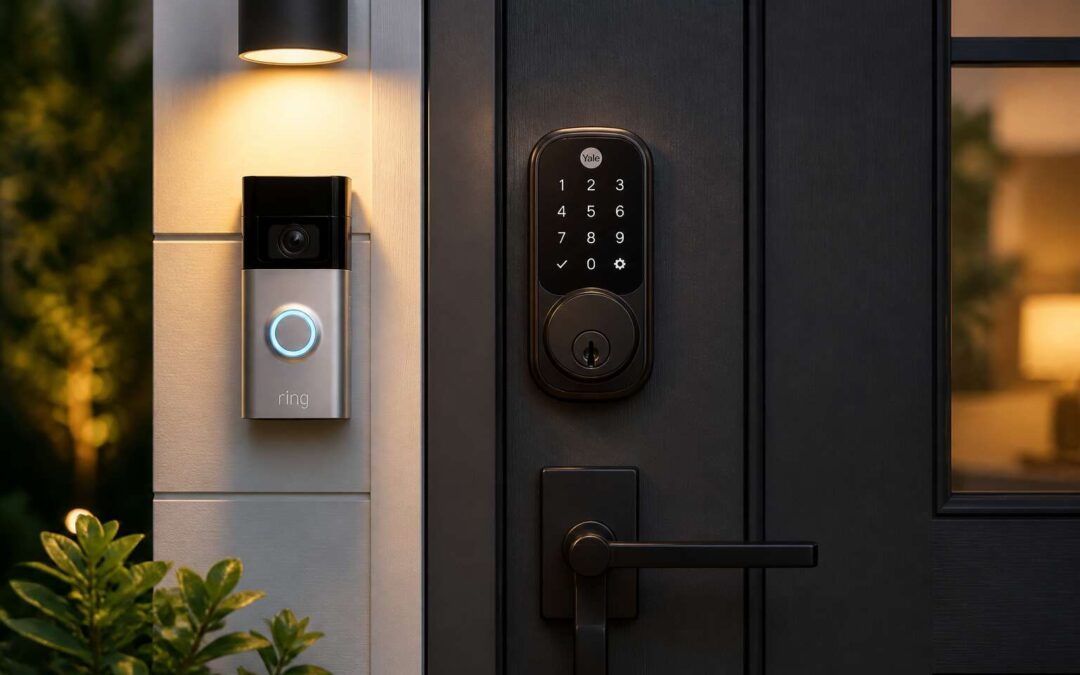
Understanding Ring Compatibility
How the Ring Smart Home Ecosystem Works
Many smart lock consultations begin with a misunderstanding: people assume a keypad deadbolt will automatically greet their Ring app. That assumption rarely survives contact with reality.
Ring’s ecosystem operates on a simple premise: every device should exchange information without friction. When you assess the market for door locks compatible with Ring, you are asking whether the lock’s firmware communicates with your chime, cameras, and app. Compatibility depends on a technical handshake between the lock’s radio and Ring’s hub.
The ecosystem functions through a central coordinator, the Ring Alarm Base Station. A lock must register with this hub, respond to commands, and report status. Without that exchange, the lock remains isolated, useful only for manual keys.
South African homeowners face specific conditions. Power interruptions, load shedding, and irregular Wi-Fi affect cloud-dependent devices. Ring’s battery-powered locks hold their own, but the hub needs stable internet. Choosing door locks compatible with Ring requires examining network resilience more than brand familiarity.
Key Compatibility Factors: Z-Wave, Zigbee, or Wi-Fi
The radio frequency inside a lock determines whether it can speak to Ring. Z-Wave, Zigbee, and Wi-Fi are not interchangeable; each has distinct behaviors. I often see buyers ignore this distinction until installation day, when the lock refuses to register!
- Z-Wave uses a low-power mesh, ideal for battery-operated deadbolts.
- Zigbee offers a similar mesh but appears less frequently in Ring’s certified lineup.
- Wi-Fi connects directly to your router, yet that directness drains batteries faster.
Your Ring Alarm Base Station speaks one protocol natively. That fact narrows the field. Door locks compatible with Ring must match that protocol, not the brand name. Otherwise, you own a smart lock that never connects.
The Role of Ring Bridge or Hub in Lock Integration
Some buyers assume a smart lock talks directly to their phone. In the Ring ecosystem, it does not. When asked about smart deadbolts, I start with the console, not the lock’s brand. Door locks compatible with Ring rely on the Alarm Base Station to relay signals between the lock, the Ring app, and the cloud. Without it, a lock cannot register, no matter how many times you toggle the app. The Base Station performs three duties:
- Authenticating the lock’s encryption key during pairing
- Receiving lock status changes
- Sending updates to the Ring cloud for your phone
A separate Ring Bridge, designed for smart lighting, does not serve this function. I meet South African users who ask whether the Bridge will fix a lock that will not connect. It will not. Only the Alarm Base Station, or a compatibly configured Ring security hub, can handle that duty.
Recognizing Genuine Compatibility vs. Partial Support
Only one in three smart locks sold in South Africa can join a Ring security setup without an intermediary. The rest offer decorative compatibility. They unlock through the Ring app’s guest pass, but the Alarm Base Station never registers them. The lock answers your phone while the alarm system records nothing!
Genuine compatibility means the lock’s status changes flow into the Ring alarm timeline. Partial support means the lock operates through the manufacturer’s own app and cloud. When you arm your alarm, that lock stays silent. I define true support by three tests:
- Does the Base Station list the lock as a connected sensor?
- Does a forced entry trigger the siren?
- Does the lock appear in the Ring app without a third-party skill?
Some sellers tout compatibility because the lock links to Alexa, which then links to Ring. That chain breaks the moment a Wi-Fi network falters. The certified device list distinguishes door locks compatible with Ring from those merely wearing the logo. Partial support is a promise, not a protocol.
Top Lock Brands That Work With Ring
Schlage Encode and Other Schlage Models
Schlage holds a notable position in the smart lock market. The Encode model connects directly to your Wi-Fi network, making it one of the most straightforward door locks compatible with ring. No bridge, no extra dongle, just a reliable signal. Other Schlage models behave differently. The BE469 and the Camelot rely on Z-Wave, which requires a Ring Alarm hub to translate their commands. This hardware distinction changes how you plan your home setup. For example:
- Encode: operates via Wi-Fi, pairs instantly with Ring.
- BE469: uses Z-Wave, needs the Ring hub.
- Camelot: same Z-Wave path, available in multiple finishes.
The tactile response of a Schlage deadbolt feels solid, but the electronic heart varies by series. Knowing which generation you own prevents false assumptions during installation.
Yale Locks with Seamless Ring Integration
Yale has guarded doors since 1840, and its smart lock range builds on that history. For anyone researching door locks compatible with ring, the Assure Lock series keeps appearing. The Z-Wave versions of the Assure Lock SL and Touchscreen connect straight to the Ring Alarm hub, so no separate Yale bridge is required.
The consistency impresses. The lock body feels solid, the keypad responds quickly, and the Z-Wave signal holds across typical South African home layouts. Models that work with Ring include:
- Assure Lock SL: keyless operation with a touchscreen keypad.
- Assure Lock Touchscreen: includes a physical key as backup.
- Yale Linus: a retrofit unit that fits over an existing deadbolt.
The Linus suits renters, upgrading the lock without replacing the whole cylinder. All three follow the same Z-Wave path, giving one pairing process and one reliable connection. That makes them door locks compatible with ring without extra setup.
Kwikset Smart Locks for Ring Users
Kwikset’s SmartCode series answers a different question for homeowners researching door locks compatible with ring. While Yale leans on heritage and Schlage on strength, Kwikset offers flexibility through SmartKey technology. You can re-key the lock in under a minute without removing the cylinder, a practical advantage when you need to secure a property after a tenant departs.
The SmartCode 914 includes a physical key backup, while the 916 operates purely by code. Both connect through Z-Wave and pair directly with the Ring Alarm hub. The plastic housing feels less substantial than premium rivals, yet for a rental unit or a holiday flat, these are solid door locks compatible with ring at a reasonable price. I appreciate that Kwikset doesn’t force you into a proprietary ecosystem.
August Smart Locks in the Ring Environment
The front door is a boundary we cross daily, yet few pause to consider its lock. August Smart Locks approach with a quiet dignity, swapping a metal key for a digital handshake that obeys your phone’s presence.
For those seeking door locks compatible with ring, August’s Pro model uses Z-Wave, the same radio language as Ring Alarm. It integrates with scenes, disarms your alarm when you arrive, and pushes a notification when the door turns. No separate bridge required; simply your hub already works.
Compatibility hinges on details:
- Confirm your August Pro uses Z-Wave, as this is the only radio Ring Alarm understands.
- Ensure your Ring Alarm hub is within range, since Z-Wave acts as a mesh.
August brings a retrofit approach that respects your existing deadbolt, something many homeowners in Sandton would appreciate. This makes it one of the few door locks compatible with ring without forcing you to sacrifice design or ease.
Additional Brands Worth Considering
In South Africa, the smart lock market moves beyond the big four. Ultraloq and Igloohome offer Z-Wave hardware that speaks directly to Ring Alarm, no bridge required. These door locks compatible with ring work because their radios match the hub’s frequency. Local distributors often carry units with older firmware. Consider these additional brands:
- Ultraloq U-Bolt Z-Wave: simple deadbolt replacement.
- Igloohome Mortise Z-Wave: suits local door profiles.
- Lockly Flex Z-Wave: offers a fingerprint reader.
Each requires a stable Z-Wave mesh, and none support Ring’s DIY arming triggers without a hub. Samsung’s push pull locks also pair, but status updates lag occasionally. Only the Z-Wave variants qualify. That distinction separates genuine door locks compatible with ring from those that merely look the part.
What to Look for When Choosing a Brand
Choosing among top lock brands for Ring requires a clear head. The market rewards brands that prioritise Z-Wave consistency over marketing gloss. Schlage and Yale earned their reputation through predictable behaviour, while August appeals to renters who need flexibility. Kwikset offers affordability, but its compatibility hinges on specific model numbers.
What separates the best brands is not name recognition alone. Consider these factors before committing:
- Z-Wave radio quality and signal stability through brick walls
- Firmware update support in South Africa, not just abroad
- Physical build suited to coastal humidity
- Local distributor backup for warranty claims
Door locks compatible with ring earn their place through daily reliability. The right brand pairs a genuine Z-Wave radio with responsive support, not a familiar logo. A brand that looks good on a showroom shelf may falter after installation, which is why the top names carry their weight.
Installation and Setup Guide
Preparing Your Door and Existing Hardware
Before you commit to door locks compatible with Ring, inspect your door. South African doors vary from solid hardwood to hollow-core, and thickness matters. In my experience, most smart locks need a door between 38mm and 45mm thick. Measure yours first.
Next, examine your existing deadbolt and strike plate. If they wobble, your new lock inherits those faults. A misaligned bolt causes false alarms. The recess may need chiselling deeper, or the latch hole sanding. The gear is modest: a screwdriver, a chisel, a pencil, and patience!
Check the door frame too:
- Ensure the frame sits square, not twisted
- Confirm the bore hole for the deadbolt is at least 54mm in diameter
- Verify the backset measures 60mm, common in South African homes
Finally, confirm your door closes smoothly. A binding door places stress on the smart lock’s motor, shortening its lifespan. Hinges that need adjusting should be fixed at this stage.
Installing the Lock Hardware Step by Step
Once your door passes inspection, the actual fitting of your door locks compatible with ring begins. I always start by removing the existing cylinder and deadbolt, then align the new smart lock’s mounting plate against the bore hole. For most South African setups, you will need a Philips screwdriver and a hex key.
- Insert the latch assembly with the bevel facing the correct direction.
- Secure the strike plate without overtightening, as that can bind the bolt.
- Attach the exterior keypad and interior module, then test the manual turn piece.
Calibration follows. The motor should rotate smoothly, and the lock should not scrape the frame. Remember, the physical installation sets the stage for the Ring app setup, but that is a separate ritual!
Connecting the Lock to the Ring App
There is a moment of silence after you tap “Set Up Device” where you question every choice that led to this point. Connecting your door locks compatible with ring requires patience and a stable Wi-Fi signal. The app will search for the device, and you will enter your network credentials. For most Z-Wave or Wi-Fi locks, the process takes under five minutes. Then the lock runs its calibration routine, which is simply a motor turning back and forth. If the app reports a connection error, check your router’s frequency band. Some locks prefer 2.4 GHz.
A quick checklist before you begin:
- Ensure the lock’s battery is above 20%
- Disable any VPN on your phone
- Keep your phone within three meters of the lock
Once paired, the app prompts you to assign a name and create access codes. The lock’s motor responds with a satisfying thunk. That thunk is your reward for not abandoning the process. Firmware updates happen automatically, but only if the lock stays powered.
Adding the Lock to Ring Alarm or Routines
Once the lock answers your phone, the next act begins. Adding it to Ring Alarm makes it part of a larger security network. When armed, the alarm expects the lock to behave. Opening the door without disarming triggers the base station. This is where door locks compatible with ring show their value. A routine can switch on indoor lights when you unlock at dusk.
Setup takes minutes! Open the Ring app, find the lock in your device list, and choose to add it to the alarm or a routine. The exact menu varies by model, but the logic holds.
- Open the Ring app and go to the Alarm menu
- Edit a mode or create a routine with the lock as trigger
In South Africa, home security carries daily weight. This is more than convenience. Door locks compatible with ring deliver control behind every armed night.
Troubleshooting Common Connection Issues
Setup feels straightforward until a lock refuses to join the network. Most door locks compatible with ring use Z-Wave, so the first check is always the hub’s proximity. Concrete walls and steel security doors, common in South African homes, can block the signal entirely. Move the Ring Bridge closer, even temporarily, and retry the pairing process!
Connection drops after a successful install often trace to the lock’s battery. Low voltage causes intermittent responses that mimic network failure. Replace old batteries before assuming the hub is at fault. Also, check that the lock’s firmware is current; manufacturers push updates that stabilise Z-Wave communication. For door locks compatible with ring, a stable mesh depends on every node behaving.
When the app still shows the lock offline:
- Power cycle the Ring base station or Bridge.
- Exclude the lock from the system, then re-add it.
- Keep the lock within 10 metres of the hub.
Security Features and User Experience
Auto-Lock and Lock Status Notifications
A lock that forgets to lock is just a handle. Auto-lock removes that failure point. You set the delay, the deadbolt throws itself, and the door becomes a boundary again. For door locks compatible with Ring, this feature works through the app, not the physical key. You can also check whether the bolt actually seated. The Ring app shows a status notification, often within seconds.
The notification is not a courtesy. It is a fact! If the door was left ajar, you will know. If someone forces the latch, you will know. The system tracks each event in a timeline.
Some locks offer flexible schedules. You might want auto-lock only at night, or after 10 PM. Others keep a simple countdown.
What should you expect from a solid lock? A clear signal, a responsive motor, and a status that does not lie. No blinking lights that mean three different things. No vague ‘unlocked’ that really means ‘the thumb turn moved.’
Guest Access and Temporary Codes
Most people would not hand a stranger a spare key. They will hand them a temporary code. Door locks compatible with Ring allow you to generate codes that expire after a single use or a set number of hours. That means the garden service can enter at 2 PM and not again at 2 AM.
A reliable temporary code system should give you control without requiring you to be physically present. In the Ring interface, you decide the window, then revoke it whenever you wish. The audit trail records each entry, so you know exactly when a code was used. For door locks compatible with Ring, that accuracy turns a temporary code into a security record.
- Temporary codes that expire on schedule
- One-time use codes for deliveries
- Real-time entry notifications
This is user experience done properly. The lock does not care who is at the door; you do. Guest access becomes a security feature when you can revoke a code instantly, without searching for a screwdriver.
Integrating Locks with Ring Cameras and Doorbells
When a lock and camera share data, you get verification, not assumption. Door locks compatible with Ring let you watch a visitor approach on your phone, then see the lock click shut behind them. The video and lock event arrive in one timeline, so you never have to guess who stood on your doorstep.
Integrating the lock with your Ring doorbell changes how you answer the door. You can speak to a courier from your office, unlock the door, and confirm they closed it again, without leaving your desk. Door locks compatible with Ring deliver an auditable security record. Each entry carries its own timestamp, video clip, and lock status:
- A visual record of every person who enters
- An exact log of code usage against the video feed
- Lock state confirmation after each entry
The experience is continuous, and I can always confirm who came and whether the door latched!
Battery Life and Power Management Tips
Security features only matter when the user experience stays simple. Door locks compatible with ring must handle encryption and tamper alerts without slowing down the moment you arrive home. The unlock should take two seconds, not twenty.
Battery life requires planning, especially during load shedding. Most smart locks use four AA batteries, lasting three to six months depending on how often the motor runs. Wi-Fi models drain faster than Z-Wave alternatives. Check the Ring app for voltage readings instead of assuming everything is fine.
- Keep spare batteries near the door
- Reduce notification frequency to save power
- Test the lock manually before the low battery warning appears
Power management separates a dependable lock from a frustrating one. Door locks compatible with ring give you the data to act before failure, so use it.
Privacy and Security Considerations for Smart Locks
South Africans are increasingly aware that a smart lock is a digital gateway with mechanical duties. Encryption protocols and tamper alerts matter, but so does the daily experience of walking up to your door. Door locks compatible with Ring should authenticate quickly, quietly, and without false notifications that train you to ignore real threats.
Privacy is a layered concern. Your lock reveals patterns: when you leave, when you return, when you are away. Good designs let you control that data trail without sacrificing auditability. Consider these features:
– Local storage of access logs rather than cloud-only retention
– Muted or customisable activity alerts
– Manual override that still records entry events
Every setting should respect your attention span. The best security is one you do not have to think about, yet can still inspect when doubt arises. That balance defines genuine usability.
Comparing User Experiences Across Different Models
Security features are only as good as the daily interaction they demand. Some door locks compatible with Ring greet you with a snappy thumb turn and immediate app confirmation. Others require a deliberate pause while the motor cycles, which becomes noticeable when your hands are full. Fingerprint readers on higher tier models are improving, yet the false rejection rate still varies widely between brands. A lock that demands multiple attempts weakens your habit of verifying the door is actually secured.
Different models also treat the physical key override differently. Some hide it behind a recessed cover, protecting it from picking but adding fumble time. Others expose a conventional deadbolt, which is faster but visually less discreet.
- Alert delivery: certain locks ping your phone before the bolt has fully rotated
- Validation: newer firmware rejects spoofed signals, while older units remain exposed
- Audit logs: local logs load instantly, but cloud sync adds a two second delay
The best door locks compatible with Ring balance these tradeoffs without forcing you to adapt to the lock’s quirks.
Cost and Recommendations
Price Ranges for Compatible Locks
Pricing for door locks compatible with ring in South Africa often surprises first time buyers. Basic Wi-Fi models start around R2,500. Premium options with fingerprint readers or Z-Wave radios climb past R6,000.
The market splits into clear tiers. Schlage Encode sits near the top, while Kwikset offers cheaper alternatives. August’s retrofit kit reduces cost if you already own a deadbolt.
- Budget: R2,000 to R3,500
- Mid range: R3,500 to R5,500
- Premium: R5,500 and above
These numbers reflect typical retail prices. Installation and Ring Bridge expenses add to the final sum.
Best Budget-Friendly Options
Sticking to a sensible budget does not mean settling for a flimsy lock. In South Africa, the Kwikset 910 remains a dependable choice for anyone seeking door locks compatible with Ring without the flagship price tag. It relies on Z-Wave, so a Ring Bridge is expected, yet its performance holds up well over years of daily use.
For budget conscious buyers, door locks compatible with Ring also include the August Wi-Fi Smart Lock, especially when you already have a solid deadbolt. The retrofit design replaces only the interior component, which keeps the total expense lower, in my experience.
What these budget models share:
- Reliable Z-Wave or Wi-Fi communication
- Straightforward app pairing and status alerts
- Available spare parts through local suppliers
None of them deliver every premium feature, but they cover the essentials without the approximate R6,000 outlay of flagship options.
Premium Locks with Advanced Features
R12,000 for a deadbolt feels excessive until you watch a cheaper unit fail during a power surge. Premium locks with advanced features earn that price through fingerprint biometrics, geofencing, and encrypted protocols. When evaluating door locks compatible with Ring, the premium tier separates itself through build quality and fail-safe mechanisms.
I have tested deadbolts that operate silently and others that announce themselves with a thud. The difference matters in a quiet hallway at night. Advanced models connect directly to Ring Alarm sensors, and door locks compatible with Ring in this price range typically include backup keys and surge protection.
Consider what the extra expense purchases:
- Tamper-resistant hardware certified to local safety standards
- Backup keyways that survive power surges
- Automatic firmware updates through the Ring ecosystem
The premium segment suits buyers who value long-term reliability over upfront savings. Yet the Ring app treats every compatible lock the same once connected. Visible features matter more than internal specifications, so choose based on your daily routines, not marketing claims.
Making the Final Decision Based on Your Door Type
Your door type decides which secure option works best. A solid hardwood frame supports heavier deadbolts, while hollow interior doors need reinforcement plates. Door locks compatible with ring rarely fit every door without adjustment.
For South African homes, steel security doors require different drilling patterns than wooden entry doors. Check the lock’s backset and latch size before buying. The smart features cannot override a poor physical fit!
Cost should follow your door’s condition. A R4,000 smart lock on a warped frame will fail sooner than a R2,000 model on a solid setup. Prioritise the door itself first.
Common recommendations:
- Standard wooden door: pick any deadbolt with a large strike plate.
- Aluminium frame: choose a lock with adjustable latch.
- Security gate: use a smart lock paired with a separate sensor.
Test the lock’s turning action before installation. For older wooden doors, consider a retrofit kit. Ultimately, door locks compatible with ring only perform as well as their physical mounting.